

 iOS 26.2 n'est plus signé, ce qui est important si vous avez déjà installé iOS 26.2.1.
Lorsqu'Apple cesse de signer une version d'iOS, votre iPhone ne peut plus être restauré à cette ancienne version à l'aide d'une restauration basée sur ordinateur. En termes simples : si vous êtes sous iOS 26.2.1, la fenêtre pour revenir à iOS 26.2 est fermée.
Ce qui a changé
- Apple a arrêté de signer iOS 26.2.
- iOS 26.2.1 reste l'option actuelle pour les appareils déjà mis à jour.
- iOS 26.2.1 a ajouté la prise en charge d'AirTag (2e génération) ainsi que des corrections de bugs.
Ce que signifie « signer » sur iPhone
Chaque installation ou restauration d'iOS doit passer la vérification du serveur d'Apple. Si une version n'est pas signée, la restauration échoue, même si vous avez le fichier.
Pouvez-vous toujours revenir à iOS 26.2 ?
Plus maintenant si votre iPhone est déjà sous iOS 26.2.1. Une restauration vers iOS 26.2 nécessite qu'Apple maintienne cette version signée. Une fois la signature terminée, le chemin de restauration par ordinateur est bloqué.
Que faire si iOS 26.2.1 vous pose des problèmes
- Redémarrez votre iPhone.
- Vérifiez une mise à jour des réglages de l'opérateur (Réglages → Général → À propos).
- Libérez de l'espace si les applications plantent ou si les installations sont bloquées.
- Réinitialisez les réglages réseau si le Wi-Fi ou le cellulaire ne fonctionne pas (Réglages → Général → Transférer ou réinitialiser → Réinitialiser → Réinitialiser les réglages réseau).
Si le problème est grave (boucles de démarrage, plantages répétés), une restauration peut aider, mais elle réinstallera la version actuellement signée, et non iOS 26.2.
Un rapide rappel avant votre prochaine mise à jour iOS
- Sauvegardez sur iCloud ou un ordinateur.
- Gardez une charge de batterie suffisante ou branchez.
- Prévoyez une courte fenêtre de configuration au cas où les applications devraient se réindexer après la mise à jour.
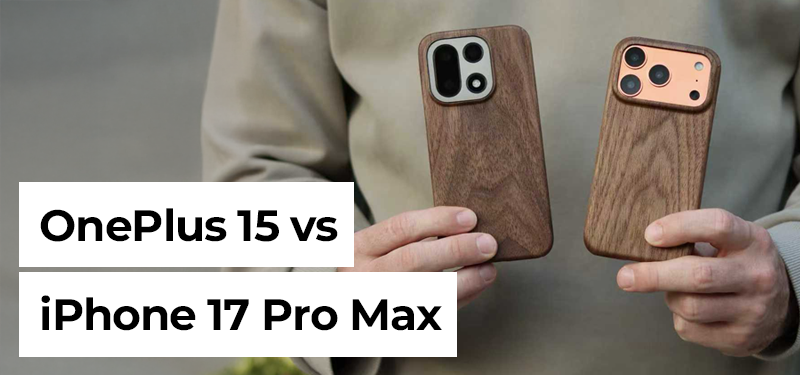
Et si vous effectuez souvent des restaurations, protéger votre téléphone aide à éviter les dommages pendant le temps passé avec les câbles et le bureau — les coques d'iPhone de Komodoty sont un simple ajout pour un usage quotidien.
Les nouveaux clients bénéficient de 10 % de réduction avec le code 10OFF.

Laisser un commentaire
Ce site est protégé par hCaptcha, et la Politique de confidentialité et les Conditions de service de hCaptcha s’appliquent.